
ALL, Reviews, Thermal, Thermal Scopes
Nocpix Ace 2 Review H50R and S60R
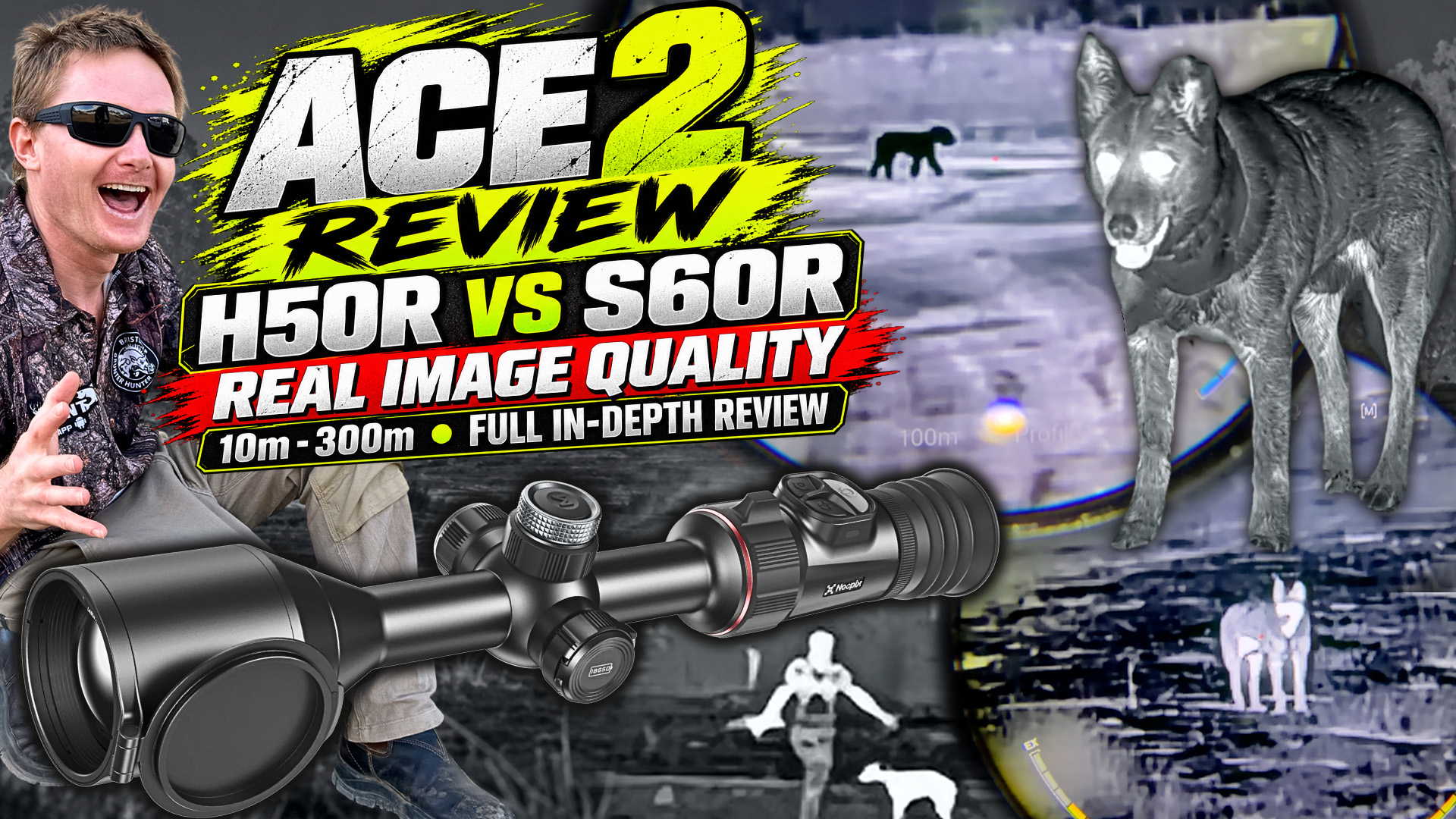
First on Uhunt.tv — this review and every new one land on Uhunt before anywhere else.
The full video review, 43 minutes — or read it below. Watch on YouTube to comment or subscribe.
Full review · Thermal scopes
Nocpix ACE 2 Review
H50R vs S60R, and what has changed from the ACE 1
Models tested
How we tested
We compared the ACE 2 H50R against the ACE 2 S60R at base magnification from as close as 10 metres right out to 300 metres, then put each new model against the original ACE it replaces. At the top centre of the screen you will see the distance for each recording, and along the bottom the conditions, including temperature and humidity.
Most of these recordings use white hot. As you will see, the current algorithm for the new 12 mK sensors seems to deliver better shape recognition in black hot.
One thing worth keeping in mind. Whenever a manufacturer introduces a new sensor, especially a new generation like this 12 mK sensor, the image processing and firmware usually continue to be refined to get the best performance from the hardware. We have already seen solid improvements in image quality between the first firmware and the latest version, and I expect further modest improvements across the colour palettes and image settings, particularly with the S60R’s still and motion modes.
On the ACE 2 versus ACE 1 recordings: they were taken at different times and under slightly different conditions. The temperature and humidity were quite similar, but one test was recorded at night while the surrounding terrain was still cooling down, and the other in the early morning after the environment had all night to cool. In theory that gives you better thermal contrast in the morning, and we may be seeing a little of that in the original ACE footage. It is not a perfect back-to-back comparison, but it is close enough to give you a very good idea of the differences.
Image quality: ACE 2 H50R vs ACE 2 S60R
At 50 m
Black hot looks pretty good, and white hot does too. You do not really start seeing the benefits of black hot until the 100, 200 and 300 metre marks.
At 100 m
White hot is still performing very well and the H50R is holding up nicely against the S60R. You do not see a massive difference in image quality yet, but you can start to see it. The background is certainly cleaner on the S60R, and with the human and the dog in frame together, the clarity benefit of the 60 shines through pretty clearly. Switching to black hot, there is still not a huge difference, but you can see where black hot starts to pull ahead.
At 200 m
You can make out the shape of the dog very clearly on both units. You can see between the dog’s legs and make out the head quite well. On white hot, the H50R struggles a little more to hold the shape of the lower legs, but shape recognition is still very good on both. With the dog and the human together, the clarity is better on the 60 again, holding that shape a bit better with a little more detail.
Black hot is where the improvement becomes much more noticeable. Both units do a better job of holding the shape of the animal, which is worth keeping in mind while Nocpix continues refining the image algorithms on these new models.
At 300 m
The H50R starts to struggle more with holding the finer shape, particularly around the legs, though you can still clearly make out the different parts of both the animal and the human. To be completely honest, I was a little disappointed in the quality of the white hot on the current firmware, and I am hoping they improve it over time. Even at 300, both units hold up quite well, with the 60 leading the way.
Switch to black hot and shape recognition improves again on both. The S60R looks a little darker here, but putting it into still mode, or adjusting brightness, contrast and sharpness, gives a noticeable improvement. Ultimately it comes down to adjusting the settings to suit the environment you are hunting in and working out what gives you the best image in those conditions.
Image quality: ACE 2 vs the original ACE
On paper the sensors moved from 15 mK on the original ACE to 12 mK on the ACE 2 (Nocpix figures, as listed on both product pages). Here is what that looks like in the paddock.
Diminishing returns are real
These two models are a very good example of the diminishing returns we are starting to see with thermal technology. Manufacturers are pushing millikelvin lower and lower, improving sensors and refining the specs with every generation, but we are getting to the point where the real-world difference in image quality is not always massive. These two are incredibly close. The new generation comes out slightly ahead, particularly in black hot, but there is no huge difference in image quality between them.
H50R, at 200 m and 300 m
At 200 metres the models go head to head. In white hot the original ACE may even hold up slightly better under the early morning conditions it was filmed in. Switch to black hot and the ACE 2 comes out on top for overall shape recognition — you can really see the outline of the dog, in between the legs, the head, the body, everything.
At 300 metres you start to see the benefit of those early morning conditions on the original ACE, with a little more contrast coming through. The definition and shape of the animal are still very good on both, and black hot on the ACE 2 shows that particularly well. Purely on image quality, this is almost a tie. There are plenty of other reasons to choose the ACE 2 beyond image quality alone.
S60R, the 1280 models
At 100 metres the ACE 2 holds a little more detail while the original ACE looks slightly softer. In that shot the ACE 2 S60R was in still mode with contrast and sharpness left at their default settings, which I think are too aggressive. Lowering both gives you better separation between the animal and the background in black hot when using still mode.
At 200 metres in white hot the shape of the dog holds up quite well on both units. If anything, the original ACE may hold the shape just a little nicer with a slightly softer image. Worth noticing too: even with both set to 12× zoom, the ACE 2 is closer to the target at that zoom level. Switching to black hot with contrast and sharpness turned down, you can really see how much better the ACE 2 holds the shape of the dog.
At 300 metres in white hot both units are still holding the overall shape of the dog quite well. The ACE 2 is definitely producing a brighter image, but I do not mind the softer look of the original ACE. At this point we really are splitting hairs.
Overall, much like the H50R comparison, the ACE 2 S60R is currently very close to its predecessor, with each having its strengths depending on the palette and the settings. I do expect the ACE 2 to improve further through firmware updates as the image processing algorithms are refined.
No matter what thermal you get, playing with the settings can give you better results in the conditions you are hunting in, so do not be afraid to experiment.
Dual Clarity: still mode vs motion mode
Dual Clarity is what Nocpix calls the S60R’s two viewing modes. Motion mode is designed to keep a smooth, blur-free image for tracking fast-moving targets, while still mode enhances fine detail for more precise identification.
At closer distances you can definitely see that still mode brings out more detail, whereas motion mode is a little softer.
Out at 300 metres, still mode just edges ahead for shape recognition and background detail, although the difference is fairly small, and the softness of motion mode may appeal to a lot of people.
Black hot is where things start to look really good. Lowering the contrast and sharpness let me tune the image much more to my liking, with better shape recognition on the animal and less distracting background detail. Once you get to a certain zoom level the image processing algorithm takes over more aggressively, and the shape of the dog still holds together very well. Motion mode does appear a little darker on the current firmware. My preference is still mode in black hot with the contrast and sharpness turned down.
Handling and controls
The lens cap
The lens cap is not spring-loaded any more, so you have to fold it all the way around yourself. There are advantages to that: it will not spring open when you do not want it to and leave the lens exposed, and it stays shut when you sit the scope down or give it a good knock. Other people would prefer it the way it used to be, so you can get straight into the action when there is a target on the move.
The turret and the focus
The central turret has two dials, a lower one for focus and an upper one for custom functions and menu navigation. The focus has moved off the objective lens, where it was on the ACE 1, and now sits on the turret. It has a removable throw lever, so you can pull it off, reposition it, or replace it if you lose it.
The focus itself is very smooth and easy to turn, and it is a big quality of life improvement over the original ACE: quicker to get at, more precise, and a lot less fussy to get right. With the ACE 1 you had to reach right over to the front of the objective lens and turn the focus ring, and there was enough resistance in it to make focusing a bit of an effort.
The top of the turret still gets you into the menus exactly like the old one, with a single press for the quick access menu and a long press for the main menu. Once you are in, you turn the upper dial to navigate.
Hybrid ocular zoom
The ocular ring is still in the same place, but Nocpix have introduced what they call hybrid ocular zoom. It syncs the digital zoom with the ocular zoom and resizes the display icons and reticle as you zoom in and out.
On the original ACE you could only do one or the other, and if you used the ocular zoom your icons and reticle got bigger and thicker along with everything else, which made it more of a convenient gimmick, at least for the longer shots. On the ACE 1 it literally just zoomed in on the display, a bit like sitting in front of your telly, recording it on your phone and zooming in on that.
Let us be brutally clear about what this is. It is not optical zoom. All the ocular part does is enlarge the screen, and while that gives you better viewing and better shape recognition, it is not increasing your native magnification the way a day scope would.
In practice, you can wind the ocular out to around 10×, then make smooth, fine adjustments on the central turret, which gives you very precise control. From base magnification the top dial alone will get you to about 10× on the H50R and 12× on the S60R, and past that you bring in the ocular zoom and come back to the turret for finer adjustment. You do not have to use the top turret at all if you would rather run the ocular ring all the way in and out.
My one complaint is the ocular ring itself. It is a lot tighter than I would like and you really do have to put some effort in to turn it, which is a shame because everything else about the zoom system is so well thought out. It is not a deal-breaker by any stretch, but in the field when you are short on time you may be more inclined to reach for the top turret instead.
If you would rather it behaved the old way, you can turn hybrid zoom off in the menu and go back to the ocular and digital zoom working separately. Even then it still resizes your icons when you use the ocular, which is pretty awesome.
Buttons you can set up how you like
The power button is a long press to turn it on or off. Press and hold until the countdown starts and release before it turns off and it goes into standby. A single press gives you a quick manual image calibration, and it also backs you straight out of an open menu.
The other two buttons are fully customisable, so you can set what each one does on a single press or a long press. That includes the button you would normally press and hold to start a recording, which you can change over to record on a quick press, because let us be honest, nobody is taking a photo with a thermal. You can also set them for single or continuous ranging, picture-in-picture on and off, flicking through colour palettes, or running the screen brightness up and down. The upper turret dial gets the same treatment — palettes, digital zoom or brightness.
Diopter, eye relief and exit pupil
Like any good thermal you have the diopter adjustment at the back, so you can get the screen nice and clear to suit your eyes. The eye relief was already pretty good on the ACE, and Nocpix have stretched it to 60 mm where the ACE 1 was 50 mm. That is a full centimetre further back, which does not sound like much until you have a scope mounted where you want it and your eye is not quite where it needs to be. The exit pupil has opened up from 8 mm to 10 mm, so when you are sat back off the eyepiece you see more of the screen than you did before, and it takes no time at all to get the picture in view and get on target. Combine that with a good cantilever mount offset back towards you and you will get your scope sitting in the most comfortable position possible.
Rangefinder, picture-in-picture and tracking
The laser rangefinder
Nocpix claims the rangefinder is more responsive and up to 57 per cent faster in challenging conditions. In our tests we definitely found it faster. It feels like it gets an almost instant read on a target, where the old ACE has a very slight delay.
What I really like is that you now have full control over the LRF. In particular you can control how long the LRF reticle and ranging data stay on screen after you range something, which I think is an exceptional feature. A lot of people get frustrated when the LRF icon or ranging information overlaps their shooting reticle, so being able to reduce that clutter while still using the rangefinder is a really good feature. You can control just about every aspect of the LRF reticle, from the shape through to the colour and the brightness. Nocpix has surprised me with the level of effort they have put into the software to make this device genuinely user-friendly for how hunters actually use it in the field.
Picture-in-picture
Picture-in-picture works really well, and the centre turret lets you zoom the picture-in-picture window all the way up to its maximum zoom level, which is a great feature. One downside: if you use the ocular zoom it turns picture-in-picture off, and it does not automatically come back on when you zoom back out. Hopefully a future firmware update improves that. For my setup I programmed a single press on the photo button to turn it back on quickly, since I do not really use the photo function.
The tracking feature
When you range a target, the scope sends the location of that range through to your phone and displays a simple compass map you can follow back to the coordinates. It will not work unless you calibrate the scope first.
In our testing it was unreliable, even after calibrating the compass multiple times. Sometimes it would take us within a few metres of the target, most of the time it would get us into the general vicinity, and other times it would send you on a wild goose chase. Maybe we are doing something wrong, and hopefully a software update improves it. It is a really cool feature, and when it works it is exactly the sort of thing you want after taking a shot in the dark. It also works even if you do not have phone reception, which is pretty essential, because most people hunt where there is not any.
Battery, charging and runtime
The battery compartment is still quick release, so swapping the 18650 is nice and easy, and they have added ridges to stop you accidentally bumping it in the field and popping your battery out by mistake. The compartment is reverse polarity, so it does not matter which way you put the battery in. On the opposite side you have the charging port, and you get to it by turning the cover around to expose the port, then turning it back to seal it up again. A charging light shows red while charging and green when it is finished.
The ACE 2 draws both batteries down at the same time, so the internal and the removable one go together. Once the internal is depleted you can still swap fresh removable batteries in and out and keep extending your runtime, but while they both have charge in them it runs them down together. That is a negative in my mind, and I think most shooters would agree. You would rather the internal sat there as a backup so you could cycle the removable ones through.
The removable battery does not charge inside the unit, so it has to come out and go into the supplied charger. You can run that charger off the cigarette lighter in your vehicle, so it is easy enough to keep a spare topped up while you are driving between paddocks. We recommend chucking the scope on charge every chance you get.
Nocpix claims around seven to eight hours of runtime. In our full rundown test we averaged around six and a half to seven hours from a full internal and removable battery combined, with most tests leaning closer to the six and a half hour mark. Personally I would call it around six hours of reliable runtime, especially once you factor in the batteries gradually losing capacity over time. Once the internal is flat, the removable battery on its own gives you roughly another two and a half to three hours each swap.
Zeroing, profiles and the app
Instead of a fixed number of profiles that you go in and adjust, you start with one profile and add more as you need them, which makes a lot more sense and is far less confusing than a set of preset profiles sitting there with more than one menu to manage them in. You open an existing profile or create a new one, make all your adjustments in there, and it all just makes sense. You can create up to eight profiles, which is plenty for most people.
You can enter all your ballistics information directly into the scope, or connect the ACE 2 to the Nocpix app and manage your zeroing profiles and ballistics data from there. The app also lets you rename each profile, which makes it easier to keep track of which profile belongs to which rifle. For anyone wanting to take longer shots and make full use of the ballistics calculation, Nocpix has a very capable system. It is right up there with some of the better ballistic solutions in the industry, with plenty of control to fine-tune the setup for your rifle and ammunition.
In the app you can open the viewfinder and see what the thermal sees, get into your album and download photos and videos to your phone or tablet, run a firmware update, and set up your ballistics and zeroing profiles, which are held together in the one profile. The bullet library covers all sorts of calibres and ammunition brands to give you a head start, you can name a custom load, and you can build your own custom reticle if you want to fiddle.
Phone will not connect? Nine times out of ten it is mobile data fighting the thermal’s WiFi. Our thermal app and WiFi connection guide walks through the fix.
Calibration, microphone and startup
On automatic calibration, the ACE 2 H50R calibrates roughly once a minute for the first five minutes after startup, then stretches out to around every three minutes. On the S60R, motion mode usually calibrates once within the first minute then settles into roughly every two minutes, while still mode calibrates more often at first, around every 30 seconds for the first couple of minutes, before settling into roughly one-minute intervals.
That is fairly normal behaviour, and there are a couple of positives. The calibration itself is much quicker than what we have traditionally seen on older thermals, so the interruption is very brief. And in our manual calibration testing we left automatic calibration turned off for more than 20 minutes and did not notice any meaningful degradation in image quality. So if you are worried about the scope calibrating at the exact moment you are about to take a shot, you can switch it to manual and trigger it yourself. The ACEs have an internal physical shutter, so you do not need to close the lens to calibrate, but when it does you may notice the image freeze and hear a quiet click.
Both the original ACE and the ACE 2 record pretty good audio, with one fairly significant difference: the microphone on the ACE 2 is much more sensitive. When you are moving around, touching the scope, pressing buttons or adjusting the turrets, it picks up considerably more handling noise. For anyone creating content that can be a trade-off, and you may be better off running a separate microphone and syncing the audio to your thermal footage in post.
Startup time is better. The original ACE models take around 15 seconds from pressing the power button to being fully up and ready, while the ACE 2 cuts that to roughly 10 seconds. That is a solid improvement and a step in the right direction, though there are still other thermals on the market that start up noticeably faster.
Weight and mounting height
The H50R is about 200 grams lighter than the original H50R, coming in at around 990 grams with the removable battery fitted and the eye cup attached. The S60R is about 335 grams lighter than the version one S60R at 1,035 grams. I am glad to say they have done a great job bringing the weight down, because that was a common complaint people had with the ACE 1.
The other change worth talking about on the S60R is the objective housing. The version one measured 75.5 millimetres across and the ACE 2 comes in at 73. That does not sound like much, but clearance is exactly what you are fighting when you go to mount a 60 millimetre thermal. In practice you can generally run your mount a bit lower, and the lower you sit that scope the better off you are: more natural cheek weld, your head is not perched up off the stock, and your line of sight sits closer to the bore, which makes life easier at distance. The S60R already had one of the slimmest objective housings on the market in the 1280 range, so it was already winning here, and this refines it a little further.
The H50R has not changed on the front. It measures 70 millimetres across, exactly the same as the ACE 1 H50R, and it does not really need to change, because with a 50 millimetre lens you have a lot less to work around in the first place and you can already mount it nice and low.
Spec snapshot
| ACE 2 H50R | ACE 2 S60R | |
|---|---|---|
| Sensor | 640 × 512 | 1280 × 1024, 12 µm |
| Thermal sensitivity | NETD ≤ 12 mK | NETD ≤ 12 mK |
| Objective lens | 50 mm F0.9 | 60 mm F1.0 |
| Base magnification | 3× | 2× |
| Field of view at 100 m | 15.4 m | 25.6 × 20.5 m |
| Detection range (Nocpix) | 2,600 m | 3,100 m |
| Digital zoom on the top dial | to about 10× | to about 12× |
| Eye relief / exit pupil | 60 mm / 10 mm | 60 mm / 10 mm |
| Weight as tested | about 990 g | about 1,035 g |
| Weight vs the ACE 1 | about 200 g lighter | about 335 g lighter |
| Objective housing width | 70 mm, unchanged | 73 mm, was 75.5 mm |
| Startup | about 10 s | about 10 s |
| Runtime, measured | About 6.5 to 7 hours from a full internal and removable battery combined. Nocpix claims 7 to 8. Each fresh removable battery adds roughly 2.5 to 3 hours. | |
In the box: the scope with a removable screw-on eye cup, a carry bag, a battery charger, two batteries, a USB-C cable, a spare focus ring, heated targets for zeroing, a card and a lens cleaner.
Which one is right for you?
That really comes down to price and whether you see value in paying the extra for the ACE 2, or grabbing a deal on the ACE 1 while they are still around. You are not gaining a huge amount in image quality, but there are plenty of other improvements to consider: an extra hour of battery life, the hybrid zoom, which is a standout for me, 200 grams off the H50R and over 300 off the S60R, startup about five seconds quicker, the focus up on the turret where it is easier to get at, the tracking feature, better eye relief, and a stack of quality of life improvements on top of that, such as the customisable buttons, a simpler zeroing and profile system, and a battery door that will not bump easily. Are those improvements worth the extra money? Only you can decide.
It is not all one way, though. The mic is not as good, and it draws both batteries down together instead of drawing from the removable first. Neither is a deal-breaker, but they are worth knowing before you spend the money.
H50R or S60R
Both do a really good job out to two or three hundred metres, and both have great field of view for the closer shots. If you want to punch out further while having the best shape recognition possible, the S60R is worth the upgrade. But for most people the H50R does everything the average hunter needs. Up close the S60R has the edge as well, with a wider field of view for picking up close targets and tracking one that is on the move. So the S60R is the clear winner as the ultimate all-rounder, while the H50R is still very capable as the little brother and gets the job done.
Do you really need a 1280?
Do most hunters and pest controllers need a 1280? I do not personally think so. It will not necessarily help you dispatch more animals. If you make really long shots, or you just want the best possible shot placement and the best shape recognition at the furthest distance, then a 1280 is a no-brainer if you have the cash. But for the average shooter within two hundred metres it is more of a want than a need. It does give you a better overall experience. Obviously, you do not need to convince me — you are going to have to convince the Minister of Finance that you truly need it.
Why we do these
What Bristle Up stands for
We put a huge amount of time into doing proper in-depth reviews across all the major brands, as well as the new and upcoming ones. It is not about trying to sell you whatever happens to be sitting on the shelf. It is about giving you the best advice we can, understanding what you actually need the device to do, and helping you get the right product and the best value for money.
That means brutally honest advice, getting your gear to you quickly, usually within two to four days across Australia, and backing you up after the sale. If you are unlucky enough to have warranty issues and you need your thermal for an upcoming trip or for work, we provide loan units to get you out of trouble.
We have built an awesome little team in Yuleba in Queensland, and something I am particularly proud of is that Bristle Up is creating real jobs in a rural town. When you support us, you are helping support country jobs and the families behind our team as well.
Shop the Nocpix ACE range
Prices and stock are on the product pages. If you are stuck between two models, call the team and tell us what country you hunt and how far you shoot.
Still deciding?
Talk it through with us
Tell us the country you hunt, the rifle it is going on and how far you realistically shoot, and we will tell you straight whether the jump to a 1280 is worth it for you.