
ALL, Podcasts, Remote Mounting
E1 – Geoff Ashley – Thermals & Vehicle Setups
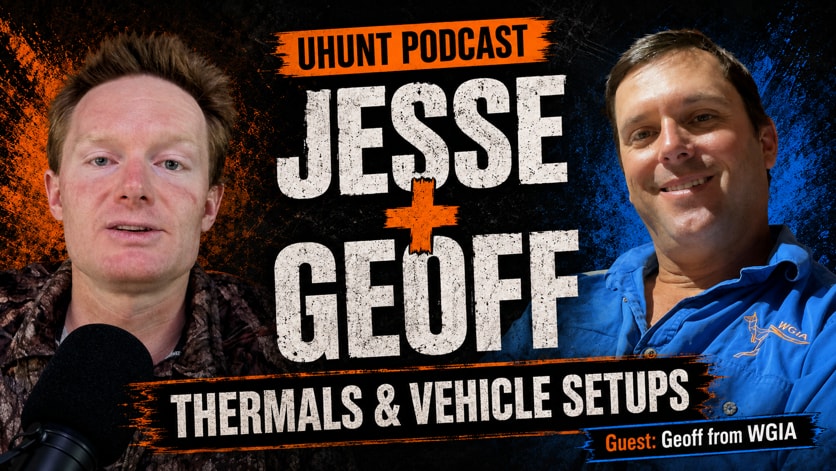
Uhunt Podcast · Episode 01
Geoff Ashley — Thermals & Vehicle Setups
With Geoff Ashley · Wild Game Innovations Australia
Jesse sits down with Geoff from Wild Game Innovations Australia for an unscripted yarn about thermal hunting setups, spotlight brackets, roof bracing, Wi-Fi issues, hardwiring, tablet choices, and what it really takes to make vehicle-mounted thermals work properly in the field.
Also in the Uhunt 2.0 app now · Spotify & YouTube after early access
Full episode article
Uhunt Podcast E1 — Geoff Ashley, Wild Game Innovations Australia: mounting thermals on vehicles, roof bracing, Wi-Fi vs hardwiring, and the tablets that work
1. About this episode
Episode 1 of the Uhunt Podcast is an unscripted conversation between Jesse Farr of Bristle Up and Geoff Ashley of Wild Game Innovations Australia (WGIA). There was no plan. The two had been putting it off for a while, so they sat down and went hell for leather to see where it ended up. What came out is close to two episodes’ worth of practical detail: mounting a thermal and a spotlight on a vehicle, bracing and wiring the roof, where the handle should go, wireless versus hardwired connections, which tablets are working right now, and how thermal changes the way you hunt.
This article is the cleaned-up written version. Everything in it is what Geoff or Jesse said on the episode, attributed to whoever said it. Anything about tablets, firmware or hardwiring is a snapshot as at recording. Jesse’s own caveat from the episode applies throughout: this is general advice, it changes, and for current advice check the guides on the website or give Bristle Up a call.
2. Who is Geoff Ashley
Geoff was born and bred in Cunnamulla and went to Cunnamulla State School. He did a boilermaker apprenticeship from about 15 to 19. His brother-in-law ran the roo chillers there from when Geoff was about 11, and stock work and the chillers were his favourite thing. When he finished his apprenticeship he went roo shooting, starting around Cunnamulla and Thargomindah, and he has been a roo shooter ever since.
As a couple of decades went on and he had a family of his own, he wanted to take what he had learned in the paddock and put it into helping people in the hunting industry — “and get myself out of the driver’s seat of my car seven nights a week.”
He has run his own chillers on a big scale since his early twenties: Cunnamulla, Thargomindah and a chiller truck for a long time. In 2020 the family moved to Ivanhoe, where the chillers now sit beside the fabrication shed. The two mesh together. The way WGIA designs its parts comes from being in the car, and Geoff still shoots a couple of thousand a year, mainly a few hours a night, doing R&D on the current gear and on parts under design at the same time.
WGIA started when thermal monoculars came out and Geoff saw a gap in the industry: people were buying thermals and had no real way of mounting or powering them. The first bracket shapes were cut out of a cereal box. He still has them in a little packet on the desk.
Today the business has two apprentices with a couple more coming, and a young fella who comes in after school. In Geoff’s words, “we can build better gear from being in the bush, because the roo shooting trucks heading out every night is where the magic happens.” Jesse’s reply was that Bristle Up is in the same position — a rural-based business with staff out bush, creating jobs where there are not many.
3. The WGIA bracket system
Geoff had a light on the desk for the demonstration: a 10⅜″ Night Eater, which he describes as “your top tier light in Australia as far as hunting lights go.”
The WGIA bracket cradles around the shell of the light. Geoff’s brief for it was that it had to be strong, low profile and lightweight, and it could not take away from the look of the light. If you already own the spotlight, the bracket kit turns up in the mail and retrofits to the light using its existing fittings. There is no drilling, gluing or riveting — it bolts on — and it caters for all the thermals on the market.
The bracket also powers the thermal. There is a DC-to-DC converter built into it that runs off 12 or 24 volt input, so the thermal is powered all the time and you are not relying on its battery. Geoff’s view on batteries: “naturally, with a battery, every time you find that big boar you’ve been dreaming of, I guarantee you the thermal will go flat.”
On the underside is a quick-release. As the system has evolved, the light and the thermal come off the roof of the car as one unit — for when you are in town, transporting the buggy, or running the one system across two vehicles.
Bristle Up stocks the WGIA Thermal Spotlight Brackets V3.0 in models for Powa Beam 7″ and 9″ V3, Night Eater 7¼″ and V2 10⅜″, Lightforce 240 mm, Longreach 11″, and Hellfyr and Spotfyr 12000.
4. Why the thermal sits on top, not underneath
Jesse put the question he gets most often. Mounts like Bristle Up’s Reaper Contourlock let you put the light on top; WGIA puts the thermal on top. A lot of people look at the WGIA bracket and worry the thermal will get knocked off, or they like the idea of the thermal underneath the light. Why not do it that way?
Geoff went through the same emotions when he first got into thermal. He wanted the thermal down low or underneath, right out of the road of everything. So when he designed the bracket he mounted the thermal in every position around the spotlight — on the side, underneath and on top — and used them. He finds a lot of his customers go through the same process: they start where he started and end up where he ended up.
- On the side: it hurt his arm. You feel the weight sitting out there all the time.
- Underneath: you get interference with snorkels, you lose field of view, and it pushes the spotlight up too high. That means more wind drag, and “it’s actually harder to hang on to the light because of the wind drag — the further away the main surface area and the heaviest item is from the ball in your handle.”
Jesse has noticed the same thing with the Reaper mount. It works alright and it is good for having a torch up there, but if you have a big light up too high it catches the wind on a windy night or when you are cruising fast, and you feel it pulling on your arm. Down low you do not get that as much. He puts it down to leverage.
The height difference surprised Geoff enough that he ran a test on it. He set up two cars one night with one light mounted just 20 mm higher than the other, then sent the apprentices and staff out for a drive in each. “They all came back and they couldn’t believe the difference.”
The V3 evolution
Jesse has watched the WGIA brackets evolve. They used to sit higher; the current version brings the thermal down lower so it is not sticking up as far. Geoff says they did not let up — they even modify the handles now so the light sits lower — and the performance you get from a big light with a thermal over it is “the best of both worlds.”
The 9″ Powa Beam is the biggest seller by far. Geoff is blunt about the earlier versions: with the V1 and V2 he would tell people it was not a good setup and they would still buy it, so WGIA spent 12 months designing the V3. Jesse’s assessment of the V3 is that it is a massive jump — completely redesigned, the bottom reinforced, the mounting points stronger, and the balance improved again.
The 7″ bracket sits a little higher on purpose. It is a smaller light with less wind drag, and the extra height means it works well with roof racks — which Geoff says a lot of pig hunters and four-wheel-drivers want to keep.
Who it is for
Geoff says WGIA has been able to help two groups. Professional shooters can buy the right tool for the job and get set up and into the field properly in one go. The other group is the weekend hunter who lives in town and takes the family out bush to catch a pig — car, buggy, trailer, camping gear and a thermal, then a thousand kilometres of driving. They might only have three weeks a year to use it. If the gear does not work when they get there, the money they spent is wasted, and that is what WGIA’s paddock experience is aimed at.
5. What the brackets cost, and why
Jesse gets queried on price a lot: the WGIA brackets are up there. His answer to customers is that people do not see the time, labour, machines and effort that go into them. “If you want something that’s purpose built and made to do the job and you don’t have to stuff around, get the bracket. Otherwise you can muck about and make your own.”
Geoff’s answer is that you are paying for a high quality product. Some of the parts took years to design, with 12 months or more of R&D on their own, and that R&D is built into the price. WGIA is Australian made — “if not, we want to be outback Australian made” — and being out in a bush town lets the business provide opportunity for young people and sustain itself through the dry times.
6. Setting up the vehicle: the roof comes first
Geoff’s first fundamental, and the one people least feel like doing, is thermal stability. Before the thermal goes anywhere, the roof has to be strengthened.
Most vehicle roofs are very thin. They vibrate while the car is idling, and it gets worse and worse across rough country. The thermal shakes, the screen shakes, the image goes blurry, and you cannot keep the thermal on the animal while the vehicle is moving.
Jesse sees the same thing in other setups and describes it as micro-vibration. If there is flex or movement in whatever the thermal is mounted to, rapid vibration creates motion blur. You often cannot see the thermal shaking, but it is enough to put a little blur through the image and make the animal harder to make out.
Some roofs are worse than others. CFMOTO and Polaris buggies have plastic roofs that sag on a hot day, which Geoff describes as a nightmare to put a handle through. The N70 HiLux roof is flimsy enough that he struggles to describe it. WGIA’s answer is a bracing system that glues into the roof, with plates and custom rubber seals. Once the bracing is in, “the kid can stand on the roof.” It gives the car or buggy a proper skeleton, and with a good wiring system behind it, “it’s just something you do once and it’ll last you a lifetime.”
The same bracing deals with the curve in the roof on vehicles where you otherwise cannot get the light into a good position. Geoff’s aim is that a handle through the roof is a proper accessory, not “a hole in the roof that’s going to fall out in two years’ time and be full of rust.”
Jesse’s honest take is that pretty much none of these handles are 100 per cent waterproof. They all have a weakness of some degree, and if the install is not right you will have an issue down the track. Geoff agrees — they are bad for letting water in, and you do not know it until you pull the handle out of the roof and find it full of cancer underneath, which has happened to his own shooting vehicles over the years.
The WGIA system is built so that the light comes off, the handle comes off, and nothing is in the road when you are not using it.
7. Wiring: the roof console system
The wiring side is what WGIA calls the roof console system. Geoff built it so his own team can fit out a car in a decent time frame, and so anyone else can install it too. There is a YouTube video with the measurements — measure back from the window seal, where to drill the first hole, each step, how to drill, what glues to use — and the kit includes everything “down to every nut, bolt and washer.” Jesse’s one complaint is that it does not include zip ties. Geoff says he has started throwing them in.
The idea came from setting up his own vehicles over the years. Get all the relays and fuses out of the engine bay and into a confined, sealed space — the way an electrician puts joints in a junction box. Once those components are out of the heat and moisture, “you don’t have anything go wrong. It’s just a different world.”
Jesse’s summary is that it simplifies the whole job: you run a positive and a negative from the battery and everything else lives in the box. Geoff’s detail on that:
- The main fuse is a MIDI fuse, the same type Toyota uses for its main fuses. Geoff has found they hold up well because the bolt does up and gets a firm grip on the components.
- It is two wires from the battery to the console. Everything else is inside the console.
- If you ever have a problem, you grab a spanner, undo a couple of wires, drop the console out and test it on the bench — or send it to the WGIA team if you cannot find the fault. As Jesse points out, it is probably just a relay or a fuse, so you replace it.
Geoff’s proof of durability is his own shooting truck. Every time they change over to a new Toyota they strip everything off the old one — tray, bull bar, side rails, bash plates, lights, suspension — and put it back to a standard cab. One roof console has now been through four Toyotas, and he has never had a wire get hot or replaced a single thing on it. “It’s so good to have that raw data behind you when you’re selling a product.”
8. Where the handle goes
A lot of current vehicles are hard to set up with a handle. Geoff names the Mitsubishi Triton, Ford Ranger and Mazda BT-50. They are all different, and nearly all of them have a sunglasses holder and interior light moulding exactly where the handle needs to come through.
The reason that spot matters is soreness. When the handle is too close to your shoulder, you get really sore. Geoff says it is very hard to tell someone to just put the handle back a bit behind the sunglasses holder, because you are putting a hole in the roof of their car in a spot that will make them sore, and they will not enjoy using it.
Jesse has exactly that problem. His HiLux was fitted with a handle at least 15 years ago and it went a little too far back to get away from the curve in the roof. It is not the most fun to operate, and he cannot be bothered changing it.
Geoff’s advice for finding the spot: people grab the handle and hold it up in the air to see where it feels comfortable, but holding a weight up uses the muscles in your arm and shoulder. Once it is fitted to the car you are hanging off it with your weight going down, which is a different thing entirely. He installs the handle at least a good foot and a half from the shoulder, and he has found the further your arm is extended, the less sore you get. What feels good for ten seconds can make you very sore after twenty minutes or an hour.
9. Wireless vs hardwired
Jesse framed this section carefully. Thermals are a hectic industry with a lot of misinformation and new brands, and things that work today stop working and then work again. Bristle Up tries not to use absolutes when giving advice, but it backs up anything it does say.
Geoff’s observation from the early days: he is the sort of person who wants to buy the top-tier product straight up, and when thermals first came out the expensive ones had features that did not work to the right standard while the cheaper ones had better features. He had never seen a product space like it.
Jesse’s point is that you cannot compare what is on paper to what happens in the field. Two thermals can read exactly the same on the spec sheet and give completely different results out bush. That is why Bristle Up puts thermals through controlled, repeatable testing as well as hunting with them, and keeps a dozen tablets for connection testing. Results change with thermal firmware updates, app updates and tablet software updates — what works today may not work tomorrow and may work again the day after. Bristle Up now publishes data sheets on the website, updated regularly, that show what is working with what at the time.
The three-options rule
Jesse’s general rule for new thermals: dual-band Wi-Fi (2.4 GHz and 5 GHz) plus the ability to hardwire gives you three chances of getting your setup working well. Geoff’s version: it keeps you in the hunt.
The older 2.4 GHz-only thermals did not give you those options. Some of them could be hardwired to a monitor, but you lost control of the device, you had cables running everywhere with multiple joins, and the HDMI ports would get flogged out and have to be sent away for repair.
Jesse’s clarification for HikMicro owners: prior to the current 2.0 models (the Falcon 2.0 and Condor 2.0), you could not hardwire to a tablet at all, only to a monitor. Monitors have their own problems. They are a mini TV, not sealed like a tablet, the ports wear out, and you are driving rough country with cables hanging out of them and bouncing around. Over time, unless you are lucky, that tends to give you more reliability issues than a good wireless setup.
Jesse’s position: it is all about the tablet
With the current thermals, if you get the right tablet you do not need to hardwire. Hardwiring is optional, or a backup. Jesse has not found a big difference in image quality or lag between a high-end tablet on Wi-Fi and a hardwired connection. Bristle Up does sell hardwire kits, and if you want to hardwire, go ahead — but it should not be your first step. “It’s not a requirement, it’s a choice.” It becomes a requirement only if you have issues, and then it is either the right tablet for the job or hardwiring the tablet you have.
As at recording, the Nocpix Nova will hardwire to a Samsung or an iPad and still run through the app with full control. HikMicro was still working on its next hardwire update, which is meant to bring the video signal through a cable to the tablet and into the app.
Geoff’s position: WGIA runs on Wi-Fi
WGIA never got into hardwiring because it was not to the standard Geoff needed to send out with his products. WGIA has at least one car heading out seven nights a week, sometimes two, three or four, and they all run on Wi-Fi without trouble. His test for a Wi-Fi setup: grab the spotlight and flick it left to right as fast as you physically can, and the screen has to keep up. No noticeable lag, and he says the current devices are well and truly capable of it.
Jesse adds a little nuance: any wireless connection still has milliseconds of delay, so if you flick from one side of the vehicle to the other you might see a slight lag. At normal spotlighting speed, if it is working correctly, you will not notice it.
Geoff has hardwired a few vehicles because customers wanted it, and he was never keen. The reliability was not there and the screen was not the quality. Cables run under the roof lining with numerous joins, one wire fails, and it can take days to find which one. His advice if a customer insists is to run the cables as simply as possible — magnets over the roof, for example — so that if a cable fails you can swap it in the paddock. “That’s all I think of with my customers: what I can do to keep them in the hunt.”
Jesse’s view on hardwired reliability: no matter how well it is engineered, USB-C was not designed to be used the way it is being used on a spotlight. You might be fine for months, a year, maybe two, but at some stage it becomes a reliability issue.
The backup Geoff now fits
With the new 5 GHz thermals, Geoff has changed his approach. Every WGIA setup now has a USB-C plug up on the roof — on the Deutsch plug bracing plate — with a short hardwired lead sitting inside the console. If a firmware update ever breaks the Wi-Fi when a customer is a thousand kilometres from home, the wiring is already there: a lead from the roof plug to the thermal, and a lead from the console down to the tablet.
Jesse sums the whole subject up the same way: if the Wi-Fi is working and you have the right tablet, do not worry about hardwiring. If you have issues or you are worried about it, it is a good backup to have.
10. Tablets — as at recording
This is the part of the episode most likely to date. Jesse said so on the day: what he says now might change tomorrow. Read it as a snapshot and check the data sheets for the current picture.
Jesse thought 5 GHz would solve the connection problem for good, and it did for about 12 months. Then the tablets changed. The new-release Samsungs and iPads have different antenna arrays and chipsets, and Bristle Up’s working theory is that this is the key contributor to the recent 5 GHz issues.
- iPad 11th generation (A16): lag and glitching pretty much from release, and it does not seem to matter which brand of thermal. Thermals just do not like it.
- iPad 10th generation: worked pretty well for most people on 5 GHz. Jesse’s read is that Apple cheaped out on the A16 on processing, Wi-Fi chip and antenna array, and the 10th gen had the better antenna.
- iPad Pro M4 and M5: really good success, the M5 preferred. Jesse has had no issues himself. This is why Bristle Up finds itself recommending iPad Pros — in Jesse’s words, “$1,700 tablets” — because it wants people to have the most success possible.
- Samsung Galaxy Tab A11+: works for most people depending on the thermal model, with some issues cropping up on certain models.
- Samsung Galaxy Tab S9: Jesse had it out testing again the other night and it worked pretty well, though the image quality did not seem quite as good as the iPad Pro.
- Samsung Galaxy Tab S10 and S11: the higher-end tablets have better antenna arrays for picking up the thermal’s signal. In challenging conditions — interference, or the signal struggling to reach the tablet — better signal handling seems to be the difference on reliability.
That antenna theory is also Bristle Up’s current explanation for why a cheaper tablet can work well one night and not the next.
Jesse’s rule of thumb: 5 GHz plus a good tablet usually equals around 99 per cent quality and performance. 5 GHz plus a merely decent tablet gives inconsistencies, but still good results a lot of the time. He calls it too wishy-washy to give people cement advice on, which is exactly why the documentation exists.
Geoff’s contribution here is simple: WGIA has vehicles doing up to 300 nights a year on Wi-Fi that do not miss a beat. He says he does not know much about Wi-Fi with his gear because he has never had trouble with it — “and when you don’t have any troubles, you don’t get to learn much.” He runs an iPad Pro.
11. Learn it at home, not 300 km from home
Geoff’s single biggest piece of advice: when you buy a thermal and a tablet, learn them at home. Not under the pump. Outside in the afternoon with a coffee, turn the thermal on, hook it to the tablet and go over it inside and out, long before you take it on a hunt. “It’ll just make things flow like water for you.” You would never buy one, pull it out of the box, jump in the car and expect to use it that night.
Jesse’s version: if you already own a tablet, try it, but be prepared that you may need a new one. Do not buy the thermal, throw the tablet in the car, drive 300 kilometres and then want to smash it the whole weekend. And when you test it, test it properly — not just connected on the lounge. Set it up in the car, leave it running for an hour or two, and make sure it is still working after that.
Settings worth learning
Geoff has got good at making animals pop on HikMicro units, and he says it comes down to focus, brightness, contrast and sharpness. Sharpness lives in the advanced settings, and on the HikMicro you can only get to it by pushing the buttons on the thermal itself. He also watches for the hazy, smoky look where everything on screen looks neutral and the same. Temperatures change through the night, and sometimes a small turn of the focus makes a world of difference.
Jesse added HikMicro’s separate Detection and Observation modes. In his testing so far, the new Lynx 384 models work really well in Detection mode, but the 640 sensors are struggling with it and Observation is still the better mode on the 640s. “They’ve got a bit of work to do there.” Different brands use different words for these modes, but those are essentially your options: brightness, sharpness, contrast, and the mode.
Conditions change everything
Jesse’s warning is not to set and forget. If you last used the thermal in the middle of winter, then pull it out after a 40-degree summer day and find it has gone to rubbish, it may not be the thermal. It might be a limitation of the specs, but it is more likely that the conditions are worse and the thermal is not operating at its peak. The settings above let you accommodate the conditions and improve it as best you can.
Roos are one of the harder animals for a thermal to pick up. Pigs run hot and cows run hot; roos run cooler and do not show up as strongly. As temperature and humidity change through the night, roos get easier or harder to see, and adjusting the settings can help. Geoff’s field version: anything with fur on it is harder. Pigs stand out because they have bugger-all hair.
Geoff also made a point about how Bristle Up tests. You cannot work out how good one product is against another by using one tonight and another tomorrow night — spotlights are the same. You only know when you line them up beside each other and turn them on. Jesse’s side of that is why he will not give a definite answer when a new thermal arrives: he will have taken it for a spin, but until it has been analysed properly, what feels better in the moment may not be true when you compare them.
12. What they are running
At WGIA, Luke is the full-time shooter — seven nights a week when the weather is clear, which at the time was all the time. He runs a HikMicro Falcon FQ35 2.0. Geoff is still on a Condor CQ35L 1.0, and there is another Falcon FQ35 1.0 on 2.4 GHz Wi-Fi that did 300 nights last year and never missed a beat.
Both of them like the Falcons. The Condor is good and has the rangefinder, but Geoff says once your hours are up you can tell how far away an animal is just by looking at the screen. He likes the little telescopic thermals because you do not even know they are up there — “they look good up there and they work good up there” — whereas the Condor’s video-camera shape does not look like it belongs on a roof.
Jesse prefers the cylinder-shaped devices too. Cylinder-shaped units with a rangefinder are now arriving. The top-end Falcon has one, but its base magnification is too high for remote mounting for most people. The Lynx 3.0 LQ35L has a rangefinder, though at recording the rangefinder model had not been properly released in Australia.
Lynx 3.0 vs Falcon
Geoff asked for the difference. Jesse’s answer:
- The old Lynx was older technology and had not been updated in a long time. The Lynx 2.0 was 2.4 GHz only with the oldest sensors, which is why Bristle Up recommended the Falcon instead.
- The Lynx 3.0 is a complete redesign — better feel, better touch, better operation — with a start-up time of around three seconds, which Jesse calls incredible. There are about six models; Jesse has been very impressed with the image quality on the 384 and 256 models, and there is a 320-pixel model as well.
- It has been upgraded to dual-band Wi-Fi (5 GHz and 2.4 GHz) and can be hardwired to the tablet, so it now has the basics the Condor and Falcon already had.
- On the 640 (the LQ35), it is yet to be decided. Jesse suspects the 384s will be basically the same as the Falcon. There is some hype around the LQ35 and people are already recommending it, but in his testing so far the image quality has not been quite what he would expect from a 640 in a HikMicro product, and on current firmware it is not as good as the Falcon 2.0 and Condor 2.0 in similar models. Firmware updates are coming and he thinks it will be a lot better soon, but he did not want to jump the gun on recommending it.
- The LQ35’s price point is going to be cheaper than the Falcon, in a smaller, more compact cylinder body with rangefinder and non-rangefinder models, so it could be a good stepping stone.
- Wi-Fi on the Lynx is good on the iPad Pros. Bristle Up was still finishing testing on other tablets, because there have been inconsistencies with the Lynx on some tablets that do not show up on other models.
An in-depth Lynx 3.0 review is coming. Jesse’s summary: “the Lynx is definitely worth looking at.”
Category pages: Falcon 2.0 · Condor 2.0 · Lynx 3.0
13. How thermal changes the way you hunt
Geoff’s comparison, from a life of stock work: getting into thermal is a bit like putting a helicopter in the air. You have to completely change the way you work the country and the decisions that go with it. The new thermals find animals so far out that you have to pull up and make an assessment — is it worth spending the next 20 minutes driving out there, or is that one too far, and do you keep driving the road or the fence line and catch up with it a few hours later from the other side of the paddock?
Jesse agrees you can sometimes see too much, and it gets you into trouble chasing something around all night, especially pigs that keep moving. Geoff says there have been nights he reckons he would have done better without the thermal. That is also where the big spotlight still earns its place out in his country: shine it out, have a good look through the rifle scope, and decide whether to commit the vehicle, because time is money.
Used right, Jesse says thermal massively increases the number of animals you can get in a night and how quickly you can traverse country. You are not driving every nook and cranny of the property; you scan paddocks and skip the run out the back. Geoff’s version is that every turn of the wheel is driving to pick up another product, so you stay on the roads and fence lines a lot more. In the Mitchell grass country around Cunnamulla the only way used to be to go through the gate and grid the whole paddock all night. “If I was in that country again now, it’d be a lot different.”
First nights
Jesse remembers his first thermal, many years ago, and not being sure he had made the right decision spending the money. He mounted it with a bit of flat bar beside the light, bolted straight on, no quick release. Then you flick across a paddock you would normally drive straight through because you think there is nothing there, and there are animals everywhere. You see the benefit almost immediately. Geoff: “you don’t even want to think of what you’ve been driving past for the last God knows how many years.”
Geoff actually got seasick the first time. He was staring at the screen, driving too slowly for big country, and driving everywhere looking at the screen. He had to go back to understanding his country and where the animals worked — drive from A to B, then scan. It took a few nights and then he adapted.
Jesse’s advice for big open country is not to use the thermal constantly and desperately all night, because it will slow you down. You will still skim over a few animals, but you want to get from your good spot to your good spot as quickly as you can. Geoff adds discipline: if there are three roos in the middle of the paddock two kilometres out, do not drive out there. By the time you get out, get one or two and get back to the road, it can take 20 to 40 minutes. You choose better which animals you go after.
Both have watched the sceptics convert. People who fight the trend go out one night with someone who has a thermal and ring up the next day to buy one.
Geoff’s own upgrade story: he had a HikMicro Owl OQ35 and thought it was all he would ever need. Jesse sent him a Condor 1.0 to design a cradle for (the Condors did not mount well at the time). He turned both on during a hot night and was seeing kangaroos 300 to 500 metres further out with the Condor than the Owl. He rang Jesse the next day to buy it.
14. A word on cheap thermals
Jesse’s view on the $600 to $1,000 thermals is that they are not really worth the money — but if you cannot afford anything else and you just want to see a bit of heat out to a couple of hundred metres, one will work for you, and it is better than a spotlight. It will show you something is there. It will also show you every termite mound, rock and stump, and in bad conditions — high humidity after a really hot day — it will be more affected by the heat.
The seasonal trap is real. A cheap thermal in the middle of winter, with good contrast between the animal and the background, can perform decently. Take the same unit into the middle of summer and in some cases you might not even know what you are looking at. So it is important to buy the right tool for the job. But Jesse also says that if he was a young fella on a quad bike chasing pigs and could only afford a $600 thermal, any thermal is better than no thermal.
Choosing the right thermal, and choosing the right spotlight for your country and the way you hunt, are both on the list for a future episode, along with the different setup approaches you can take depending on what you plan to do with the vehicle.
15. Wrap-up
Geoff’s closing line was that he learned a lot from hearing how Bristle Up tests, and he hopes he got some useful information out for people setting up their vehicles. Jesse’s: if you are trying to set your vehicle up and you are not sure what mounts to get or how to reinforce the roof, give Geoff at Wild Game Innovations a ring and he will help you out.
For thermal and tablet advice that is current rather than as-at-recording, check the guides on the website or give Bristle Up a call.
Mentioned in this episode
- WGIA Thermal Spotlight Brackets V3.0
- Reaper Contourlock Thermal Mount
- HikMicro Falcon 2.0 · Condor 2.0 · Lynx 3.0
- Thermal-to-tablet compatibility data sheets
- Tablet hardwire & thermal remote mounting kit (Falcon 2.0, Condor 2.0, Lynx 3.0, Nocpix Nova)
The Uhunt Podcast is released first as early access on Uhunt.tv and in the Uhunt 2.0 app, then on Spotify and YouTube (@uhunttvpodcast).
Episode 01
Watch or listen now
Early access on Uhunt.tv and in the Uhunt 2.0 app. Spotify and YouTube once early access ends.
All episodes